HaloTasker logo
    Client-Facing Project Management

    Project Management Built to Be Seen by Clients

    Give every client a branded workspace that shows live progress, files, approvals and deliverables in real time — without anyone having to send a status update.

    Most project management tools are built to be hidden from clients. Asana, ClickUp, Linear, Jira — they are internal cockpits. When clients ask for visibility, the team either writes weekly status emails, generates a stripped-down PDF or, worst of all, adds the client as a guest to a tool the client does not understand and will not use.

    Client-facing project management is a different category. The premise is that the client should see the project in the same product where the team works on it — but through an interface designed specifically for the client. The client sees milestones, deliverables, recent activity, files and the team responsible. They can comment, approve and ask questions. They cannot see internal team chatter, capacity planning or task-level grind. The internal team and the client work in two views of the same data, designed for two different audiences.

    HaloTasker is built around this idea. Every project automatically has both an internal team view and an external client view. Status updates happen as a side effect of the work, not as a separate task. This page covers what client-facing project management is, why it matters and how it works.

    Why client-facing project management is its own category

    Internal project management and client-facing project management have fundamentally different design constraints. Internal tools optimise for power-user productivity — keyboard shortcuts, dense interfaces, deep customisation. Client-facing tools optimise for clarity and trust — clean visuals, obvious actions, no jargon. A single product trying to be both usually ends up being neither: too cluttered for clients, too simplistic for the team.

    The right solution is two views of one underlying database. The team works in a power-user interface. The client sees a curated, polished interface that shows them exactly what they need. Both views update in real time because they share the same data. Status updates become an emergent property of the work, not a separate communication task.

    • Two interfaces, one database — no duplication, no manual sync
    • Client view shows progress, milestones, deliverables and team
    • Internal view shows tasks, capacity, time tracking and pipeline
    • Permissions hide internal-only items from the client view
    • Real-time updates so the client always sees current status
    • Activity feeds tell the client what changed without an email
    What the client sees in HaloTasker

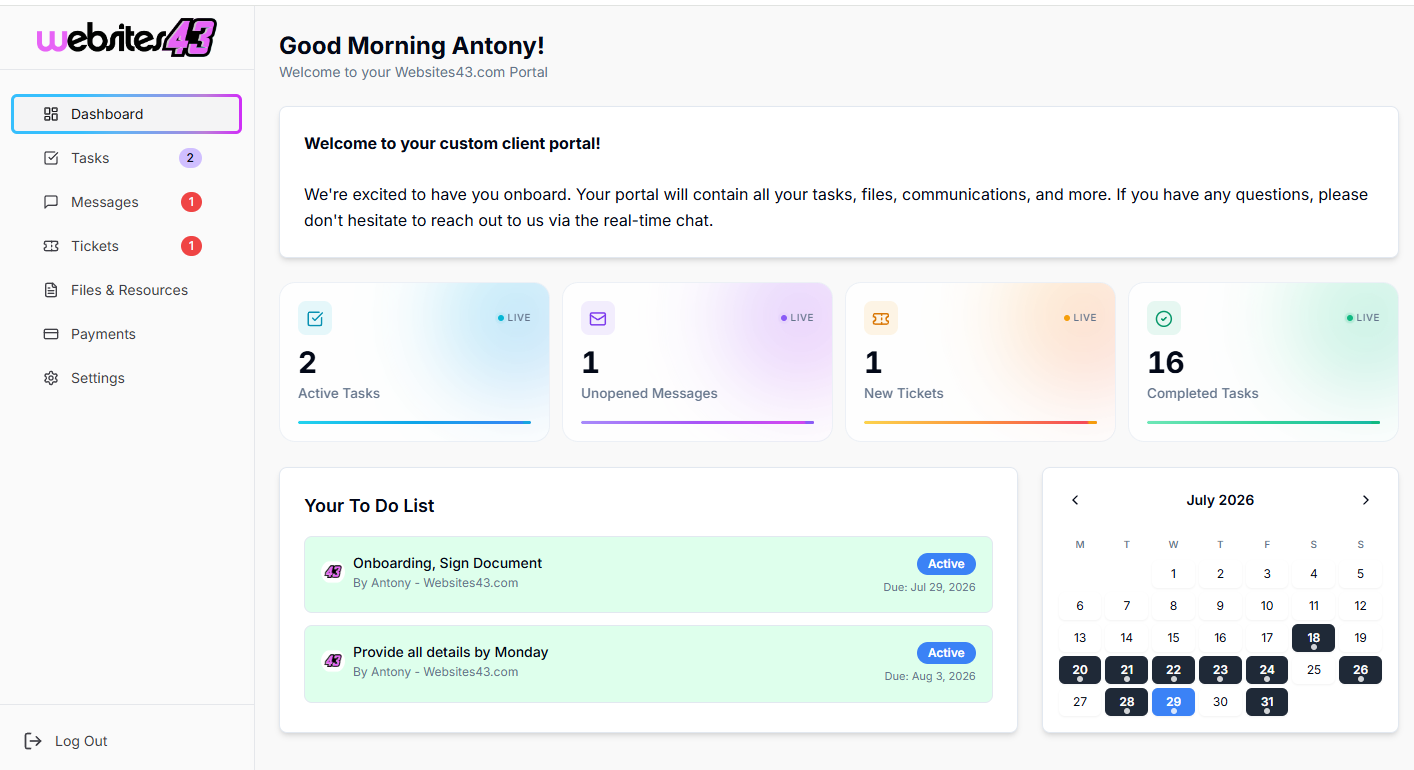
    When a client opens a project in their branded portal, they see a clean dashboard: project name, the team assigned, current status (kickoff, in progress, in review, completed), the upcoming milestones, the deliverables produced so far, any open approvals or tasks for them and a project-scoped message thread. They can click into any deliverable to preview it, comment, approve or download.

    What they do not see: internal task-level grind, capacity planning, time tracking against billable hours (unless retainer transparency is enabled), private team notes, or any other team member's projects. The view is curated by default to show the client what matters to them.

    What the team sees internally

    Internally, the team works in a richer interface that exposes every dimension of the project. Tasks grouped by status, assignee, deadline. Capacity planning by team member. Time tracked against the project. Private notes that never reach the client. Integration with the pipeline, files, quoting and invoicing. The team is not constrained by what should or should not be visible to the client — they work as fast as they like and the client view stays curated automatically.

    Milestones and deliverables

    Most clients do not care about task-level activity. They care about milestones and deliverables. HaloTasker's project model treats milestones as first-class. The team defines the milestones at project kickoff, attaches deliverables to each milestone and updates milestone status as work progresses. The client sees a clean view of the project as a sequence of milestones, each with its deliverables and current status. This matches how clients naturally think about projects ("are we on track for launch?") rather than how teams naturally track work ("what is the status of task #347?").

    Approvals embedded in the project

    Approvals are where projects most often stall. HaloTasker embeds approvals into the project view so the client sees outstanding approvals at the top of their dashboard, can approve in two taps and the project unblocks immediately. The team sees the approval status in real time and can move forward as soon as it lands. This is dramatically faster than the email-thread approval cycle that most agencies still rely on.

    Project-scoped messaging

    Messages tied to a project keep the conversation contextual. Both client and team can chat inside the project, the history is searchable, and new team members joining the project see the full context immediately. This is the missing piece in most client-facing project management — the conversation usually leaks to email and disconnects from the work.

    Why this is faster than the status-update model

    Most service businesses still spend hours each week writing status updates for clients. Client-facing project management removes the need for the update entirely. The client can see the status whenever they want, refreshed in real time, in a format that is much richer than a weekly email. Team time saved is significant. Client satisfaction goes up because they no longer feel out of the loop between updates. The asymmetry between "team always knows the status" and "client knows the status once a week" finally disappears.

    Key benefits

    • Clients always see current status without you sending updates
    • Internal team works at full speed without exposing complexity
    • Approvals land faster because they live inside the project
    • Project-scoped messaging keeps conversations contextual
    • Milestones and deliverables match how clients think about projects
    • Hours per week saved on status emails and update calls

    Built for

    • Agencies running multi-week or multi-month client engagements
    • Consultants delivering structured projects with milestones
    • Web and product studios shipping milestone-based work
    • Service businesses where clients ask for visibility
    • Engagements with multi-stakeholder client teams
    Frequently Asked Questions

    Answers from real users and experts

    What is client-facing project management software?

    Client-facing project management software gives both the internal team and the client a view of the same project, designed appropriately for each audience. The client sees a curated, polished view of progress, milestones and deliverables; the team works in a richer interface. Both stay in sync automatically.

    How is this different from Asana with guest access?

    Asana's guest access is a stripped-down version of the internal product, not a purpose-built client view. Clients rarely use it. HaloTasker has a separate, polished client interface that runs on your subdomain with your brand, and clients actually engage with it.

    Can I hide internal tasks from clients?

    Yes. The default is curated — clients see milestones, deliverables, approvals and project-scoped messages. Task-level internal work is hidden unless you choose to expose it.

    Does the client see the team's time tracking?

    Only if you enable retainer transparency. For fixed-fee projects the time tracking is internal-only by default.

    Can clients approve deliverables inside the project view?

    Yes. Approvals are embedded in the project. The client sees outstanding approvals at the top of their dashboard and can approve in two taps.

    Can I run multiple projects per client?

    Yes. A client can have any number of active and completed projects. The client portal shows them all in one place.

    Is the client view mobile-friendly?

    Yes. Mobile-first. Clients can review progress, approve deliverables and message the team from a phone.

    Does this replace tools like Basecamp?

    It overlaps significantly. Basecamp pioneered client-facing project management; HaloTasker extends that idea with a richer internal interface, native quoting, e-signature, invoicing and a more polished white-label client portal.

    Stop writing weekly status emails

    Give clients a real-time, branded view of every project — and give your team a power-user interface that stays internal.

    Two Dashboards, One Platform

    The Hub & The Portal

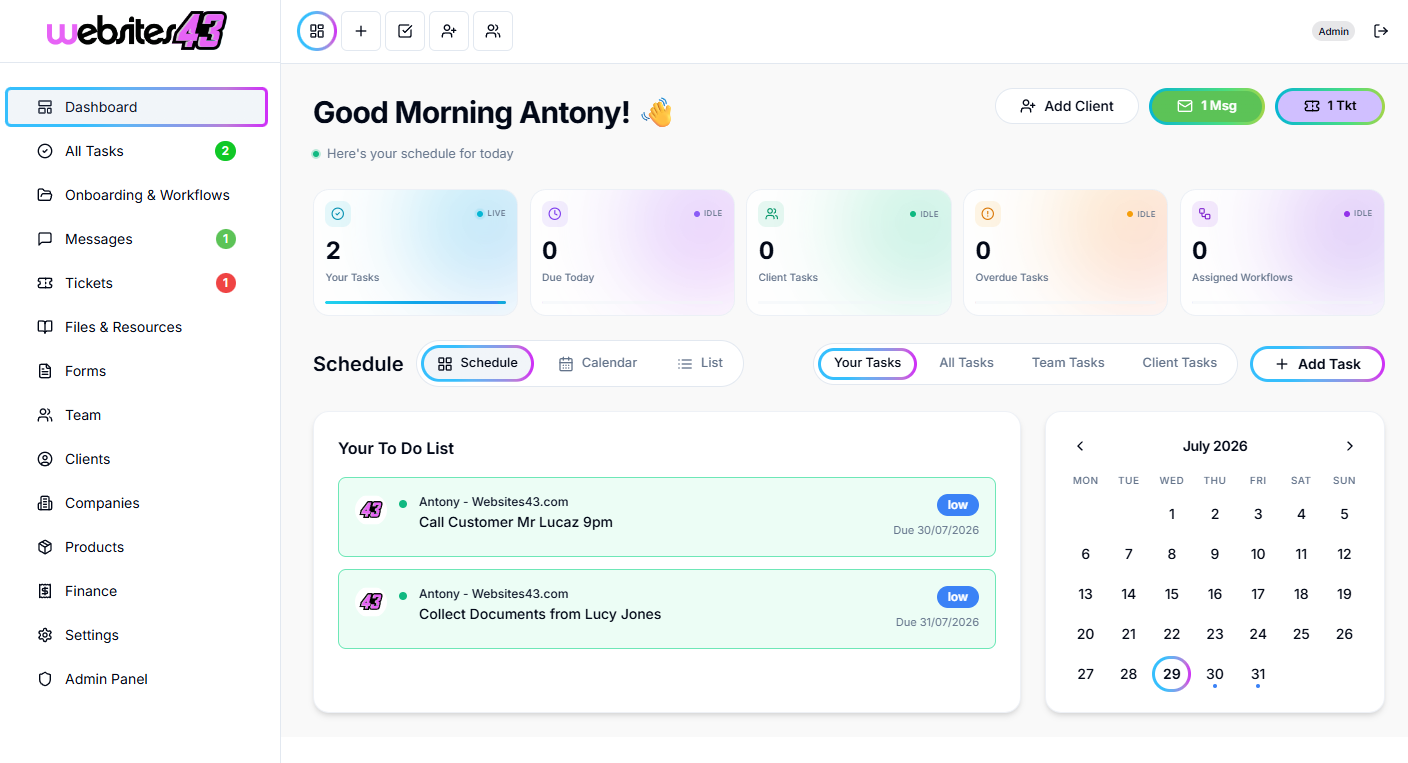
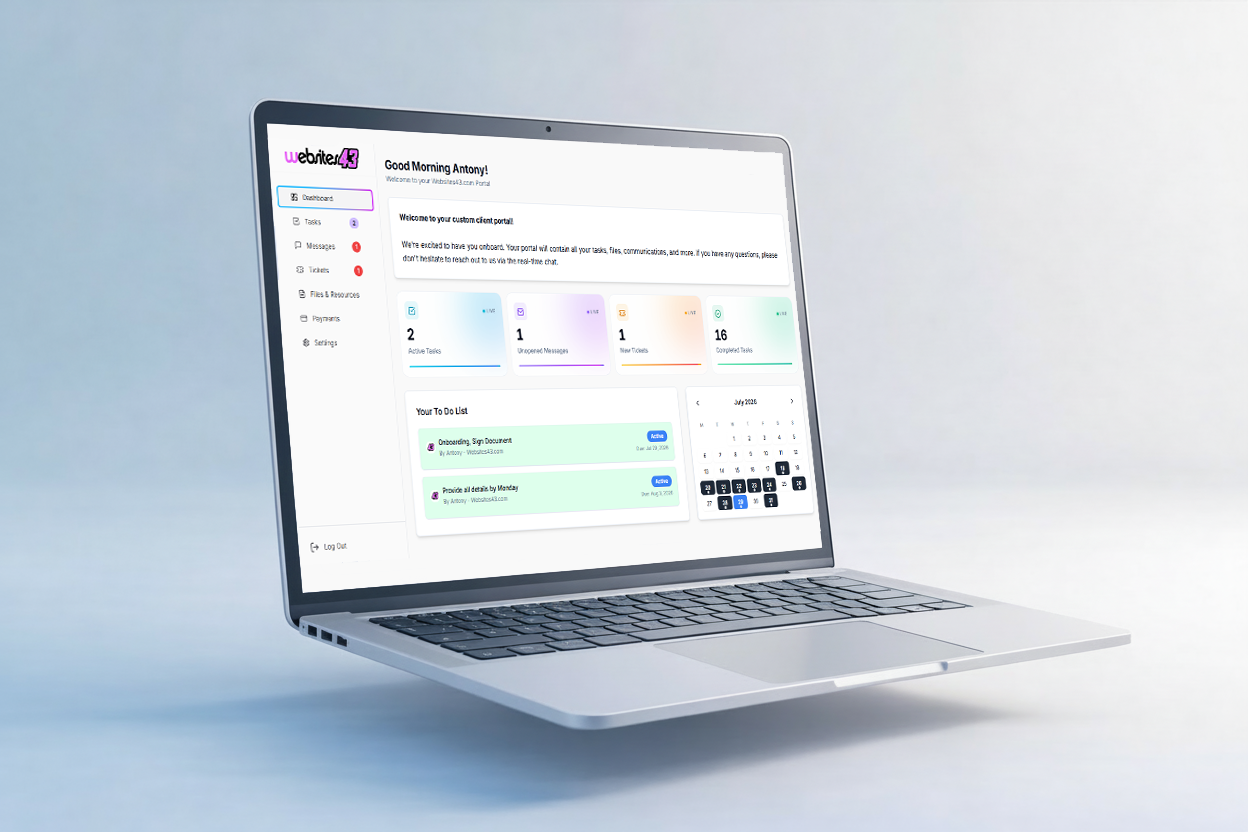
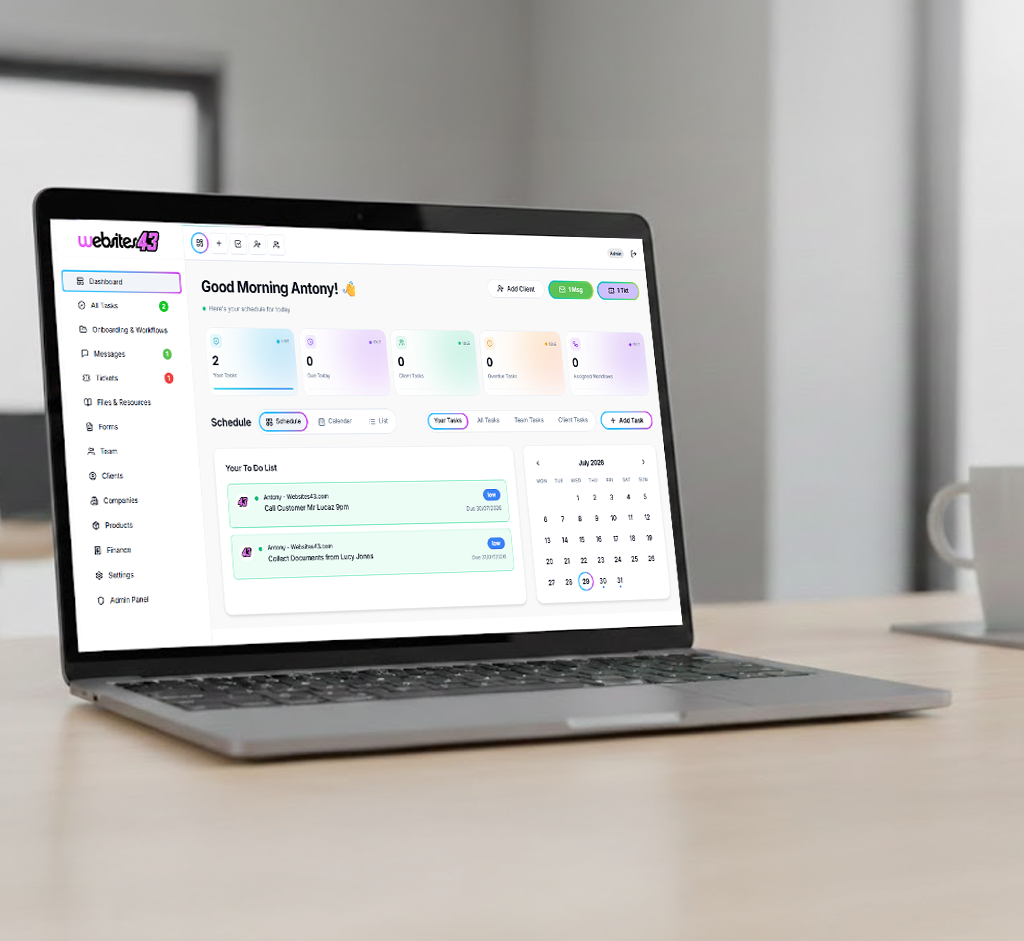
    The Hub is the dashboard you and your team will work from. The Portal is the client-facing dashboard where they get their tasks to complete, raise tickets, complete onboarding and more.

    For You & Your Team

    The Hub

    Your admin dashboard for managing clients, tasks, workflows, quotes and your whole team from one place.

    HaloTasker Hub admin dashboard shown on a laptopHaloTasker Hub dashboard detailed view
    Click to zoom
    For Your Clients

    The Portal

    The client-facing dashboard where they complete tasks, raise tickets, submit onboarding forms and stay in sync with you.

    HaloTasker client Portal dashboard shown on a laptopHaloTasker client Portal detailed view
    Click to zoom