HaloTasker logo
    Client Portal Software

    Client Portal Software That Looks Like You Built It

    Give every client a fully branded, secure login where they can see projects, sign documents, approve quotes, message your team and pay invoices — all in one place.

    Client portal software is the category of products that lets a service business give each of its clients a private, logged-in workspace. Done well, it replaces the email-attachment-and-shared-folder chaos that defines most service relationships with a single branded URL that becomes the client's home for working with you.

    The category is crowded but uneven. Some products are read-only dashboards bolted onto a CRM. Some are file-sharing tools with a "portal" sticker. Some are decent portals but ship with the vendor's brand front and centre, so your client never quite forgets they are using software you do not own. And almost all of them charge per client user, which makes them prohibitively expensive once you have more than a handful of active clients.

    HaloTasker is client portal software designed without those compromises. It is full-featured — projects, files, e-signature, quoting, messaging, invoicing — fully white-label on your own subdomain, mobile-first and priced without per-client fees. This page is the buying guide: what client portal software is, what to look for, what to avoid, and how HaloTasker compares.

    What client portal software does

    Client portal software gives each client a secure logged-in workspace that sits between you and them. The portal is where the work lives, the conversations happen, the decisions get made and the money changes hands. Email and chat threads do not disappear, but they stop being the system of record. The portal becomes the canonical place to find anything.

    A good client portal supports five core capabilities: file sharing with permissions, document signing, project visibility, two-way messaging and online payment. Many portals stop after one or two of those. The portals that meaningfully change how a service business operates do all five well and add a sixth capability — branding — so the client experience feels like part of the service rather than a separate vendor.
    Why a client portal beats email and shared folders

    Most service businesses default to email and shared Google Drive folders because they are free and familiar. The hidden cost is enormous. Email threads bury decisions in chronological soup. Shared folders accumulate orphaned files nobody can find. Quote and invoice PDFs get lost between the prospect's inbox and finance team. Approval status is opaque. New team members cannot get up to speed without three hours of forwarded threads.

    A portal solves these problems structurally. Decisions are recorded as approval events. Files are organised by project and version. Quotes and invoices have a status — viewed, signed, paid — that updates in real time. New team members see the same history the original team did, in seconds. The longer you run on email and shared folders, the more painful the eventual switch becomes — most teams wish they had moved a year sooner.

    • Single source of truth instead of duplicated email attachments
    • Permissioned access so each client only sees their own data
    • Audit trail of every approval, signature and payment
    • Mobile-friendly experience so clients respond faster
    • Searchable history that survives staff turnover

    The five things to look for in client portal software

    Use this as a checklist when shortlisting. Anything missing means you will either compromise on the client experience or bolt on additional tools.

    True white-label branding

    The portal must run on your own subdomain or custom domain, use your logo and brand colours, send emails from your address, and never display the vendor's name. If your client ever sees a different brand, it is not truly white-label.

    Unlimited free client users

    Pricing should be based on your internal team or features, not on how many of your clients log in. Per-client pricing breaks at the scale you actually want to reach.

    Two-way functionality

    A portal that only shows clients a static dashboard is not pulling its weight. Clients should be able to upload files, sign documents, approve quotes, complete tasks, message your team, raise tickets and pay invoices from inside the portal.

    Security and access control

    Look for role-based permissions, project-scoped access, magic-link authentication, audit logs and at least encryption-in-transit and at-rest as a baseline.

    Mobile-first design

    Most clients live on their phones. A portal that looks fine on desktop but breaks on mobile will not get used. Look for native sheets, full-screen dialogs and a bottom nav bar — not a desktop site shrunk down.

    Inside the HaloTasker client portal

    When a client logs into a HaloTasker-powered portal, they land on a home screen showing their active projects, open tasks, recent files, unread messages and any outstanding quotes or invoices. They can click into any project to see milestones, the team assigned to them, deliverables, signed contracts and a project-scoped chat thread.

    The Documents area holds every file shared with them, organised by project and tagged for easy search. The Quoting area shows quotes awaiting review, accepted quotes and their signed copies. The Payments area lists invoices outstanding and paid, with one-click online payment. The Tickets area lets them raise support requests that route to the right person on your team. The Messages area centralises every project conversation in one place.

    All of this is rendered in your brand, on your subdomain, with no mention of HaloTasker anywhere.

    Mobile-first for clients who live on their phones

    HaloTasker's portal is mobile-first by default. On a phone, dialogs become full-screen sheets, the navigation moves to a bottom bar, and core actions — signing a document, approving a quote, paying an invoice — are tap-friendly. Clients can do their entire interaction with you from a phone without ever needing a desktop. This matters because most clients no longer open desktop browsers for anything that is not absolutely required.

    Use cases for client portal software

    Any service business with ongoing client relationships benefits. The deeper the relationship and the more artefacts (files, signatures, quotes, invoices) that change hands, the more value compounds.

    • Accounting firms managing client documents and returns
    • Marketing and creative agencies sharing proofs and reports
    • Consultants delivering project work and recurring engagements
    • Mortgage brokers and IFAs collecting KYC and applications
    • Law firms handling intake, case files and engagement letters
    • IT and MSPs combining tickets, projects and billing

    How HaloTasker compares to other client portal software

    The most common alternatives are SuiteDash, Copilot, Moxo, ClientHub and Plutio. Each has merits, but the patterns that come up in side-by-side comparisons are: HaloTasker has the deepest workflow coverage (quoting, signing, invoicing and recurring tasks are all native), the strongest white-label experience (truly invisible branding on your own subdomain), the most generous pricing for client users (always free and unlimited), and a notably better mobile experience for the client side.

    Client portal software comparison

    FeatureHaloTaskerTypical client portal product
    White-label on your subdomain
    Included on every plan
    Often enterprise tier only
    Per-client user fees
    Unlimited, free
    Per-user pricing common
    Native e-signature
    Included
    Often missing
    Native quoting + invoicing
    Included
    Add-on or third-party
    Mobile-first design
    Native sheets + bottom nav
    Responsive desktop site
    Project-scoped messaging
    Native
    Often missing

    Key benefits

    • Replace shared folders, DocuSign, Stripe and email threads with one branded portal
    • Look like a polished, modern service business from day one
    • Cut client status emails by an order of magnitude
    • Get paid faster with one-click invoice payment
    • Speed up document signing with native e-signature
    • Onboard clients in hours instead of weeks

    Built for

    • Service businesses with 10+ active clients
    • Teams handling sensitive client documents
    • Agencies running multi-stakeholder projects
    • Firms that win business on professionalism
    • Businesses moving away from email-first delivery
    Frequently Asked Questions

    Answers from real users and experts

    What is the best client portal software?

    The best client portal software for service businesses is truly white-label, includes unlimited free client users, supports two-way workflows (files, signatures, quotes, invoices, messages) and is mobile-first. HaloTasker is built to that specification, with quoting, e-signature and invoicing included natively on every plan.

    How is a client portal different from a CRM?

    A CRM is the internal view your team uses. A client portal is the external view your client logs into. In HaloTasker, both are the same product — internal and external skins on one database — so data never goes out of sync.

    Is it really white-label?

    Yes. The portal runs on your own subdomain (or custom domain), uses your logo and brand colours, and sends emails from your domain. Clients never see HaloTasker.

    Do clients pay anything to log in?

    No. Client portal users are unlimited and free on every plan. You only pay for internal team seats.

    Can clients sign documents inside the portal?

    Yes. E-signature is native. Engagement letters, contracts, quotes and any other document can be signed inside the portal — no DocuSign tab, no separate login.

    Can clients pay invoices in the portal?

    Yes. Online payment is built in. Invoices can be paid by card or ACH directly inside the branded portal.

    Does it work on mobile?

    Yes — mobile-first. Native sheets, full-screen dialogs and a bottom nav bar make every action tap-friendly. Clients can run their entire interaction with you from a phone.

    How long does it take to launch a branded client portal?

    Most teams have a working, branded portal live the same afternoon they sign up. Configure the subdomain, upload your logo and brand colours, invite your first client and the portal is live.

    Launch a branded client portal this afternoon

    Start free, brand it as you, invite a client, and see how much friction disappears when everything lives in one secure portal.

    Two Dashboards, One Platform

    The Hub & The Portal

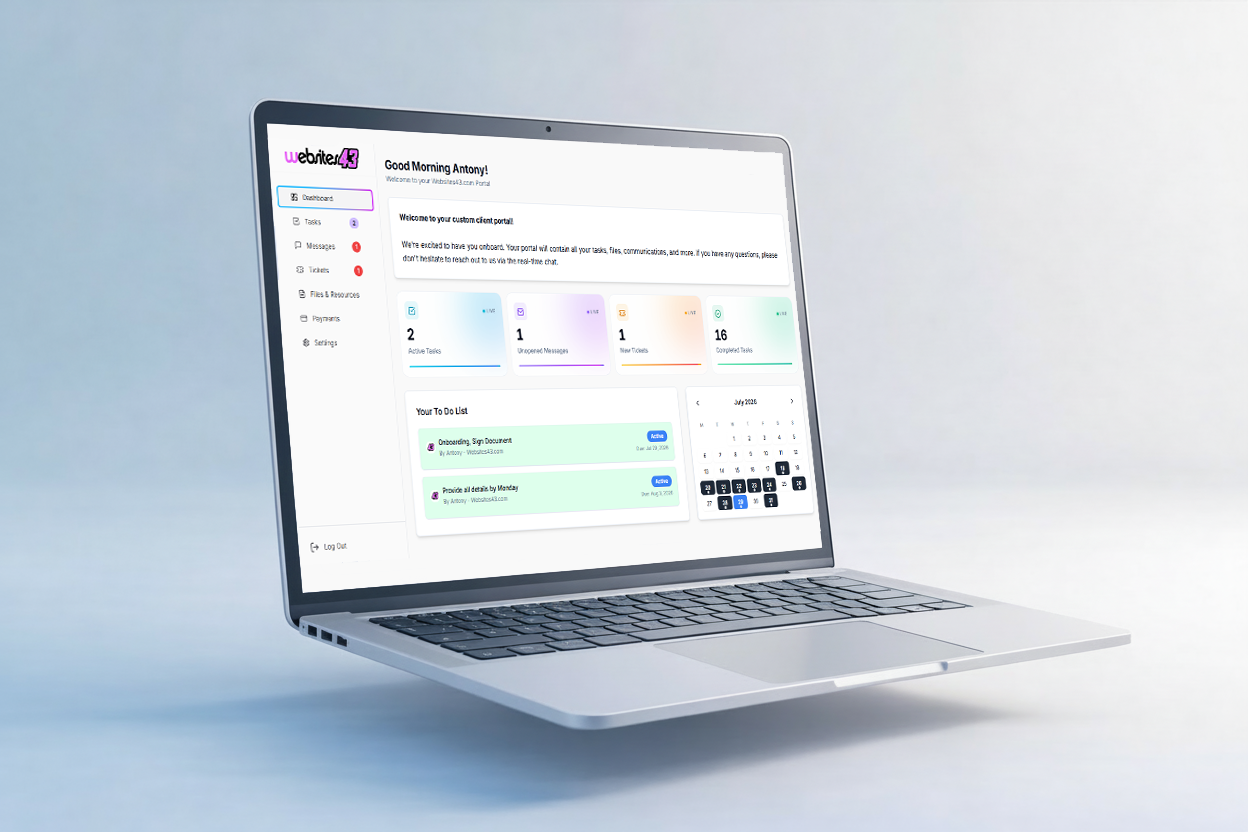
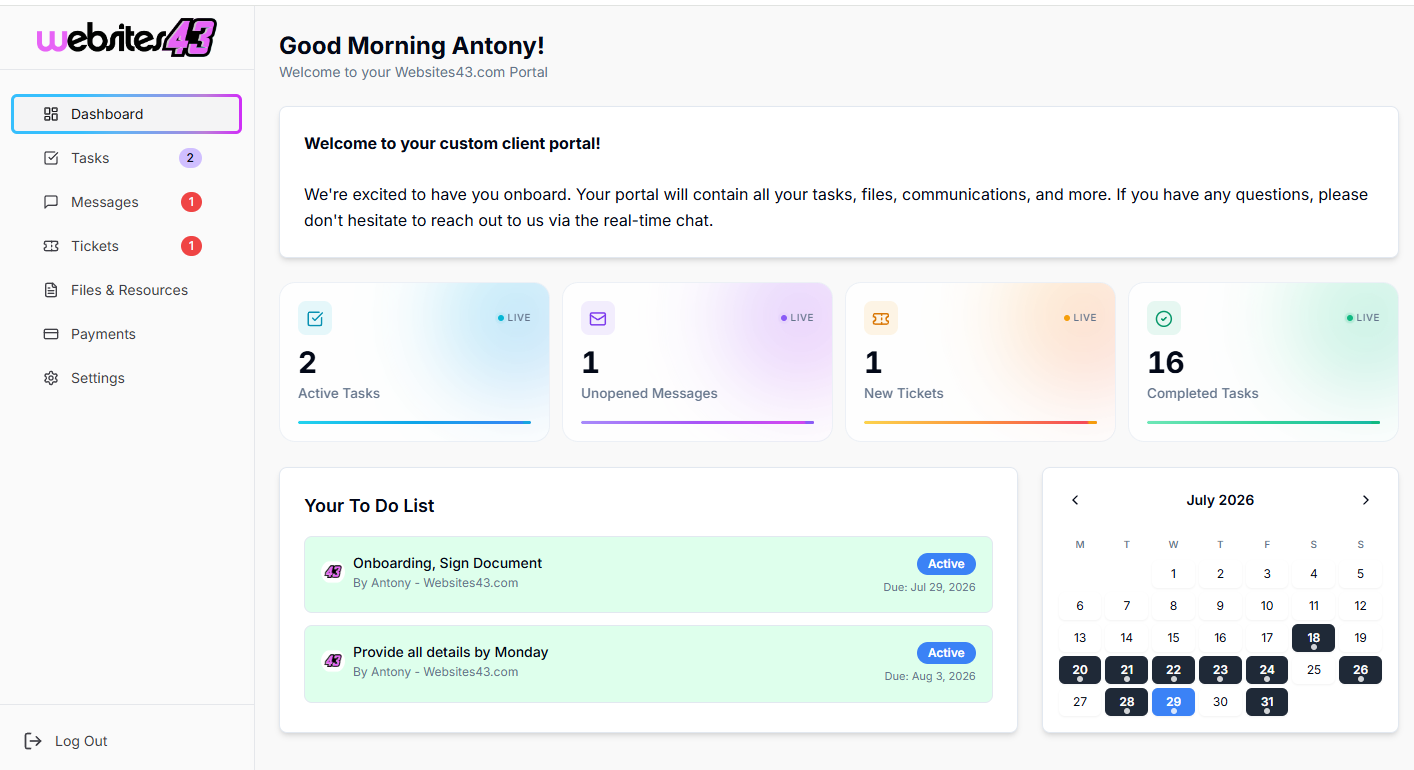
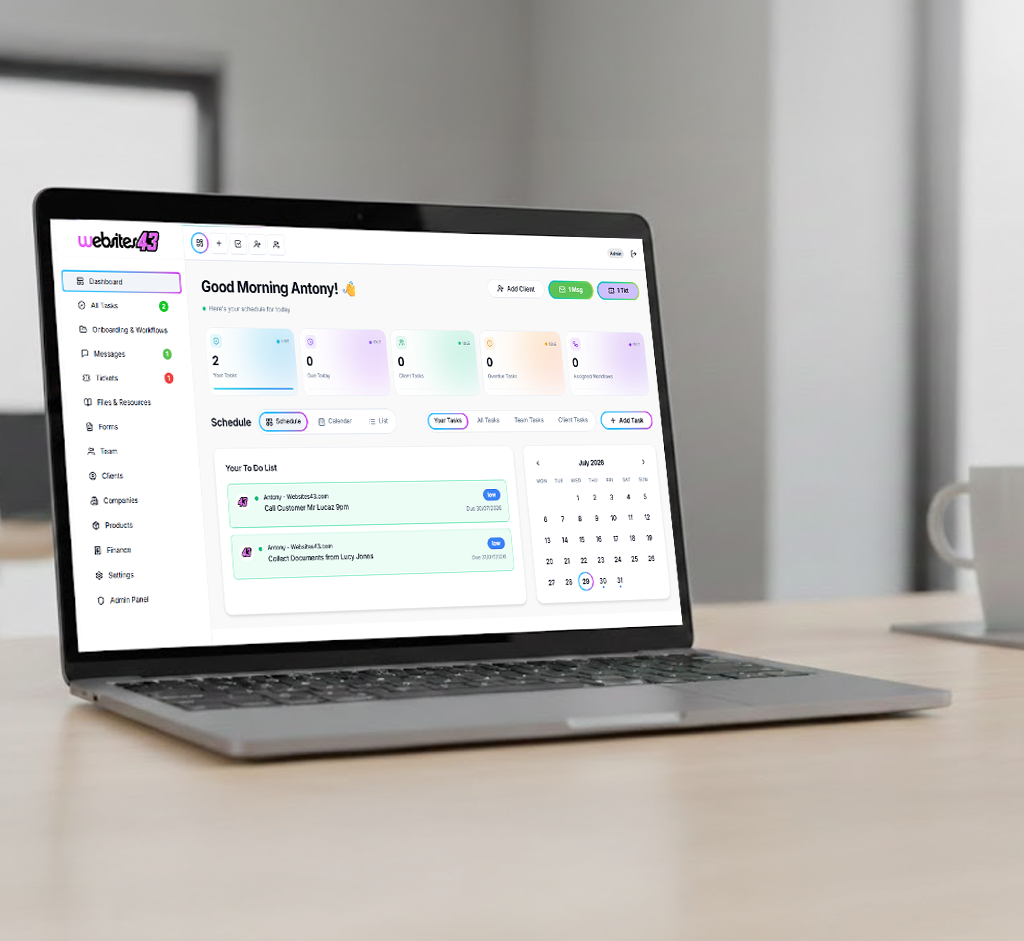
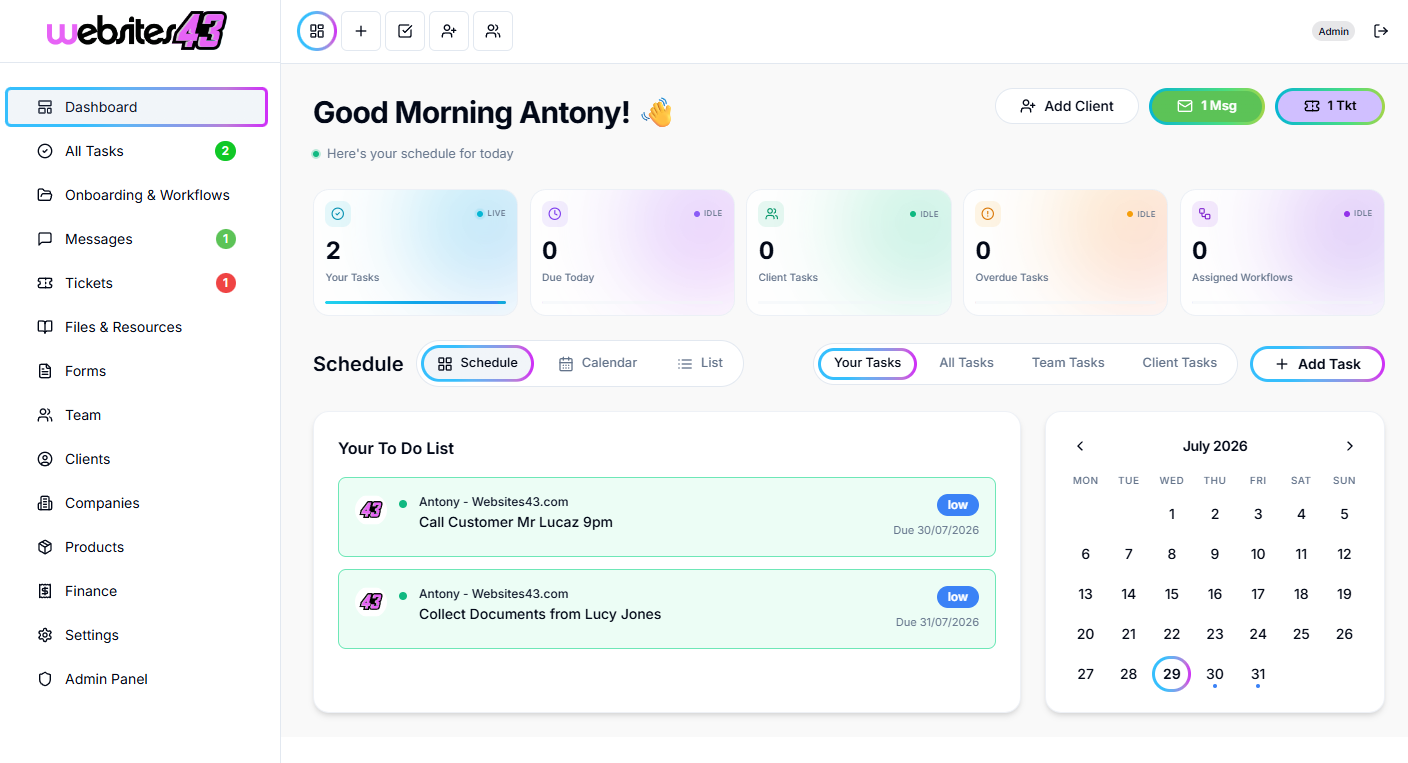
    The Hub is the dashboard you and your team will work from. The Portal is the client-facing dashboard where they get their tasks to complete, raise tickets, complete onboarding and more.

    For You & Your Team

    The Hub

    Your admin dashboard for managing clients, tasks, workflows, quotes and your whole team from one place.

    HaloTasker Hub admin dashboard shown on a laptopHaloTasker Hub dashboard detailed view
    Click to zoom
    For Your Clients

    The Portal

    The client-facing dashboard where they complete tasks, raise tickets, submit onboarding forms and stay in sync with you.

    HaloTasker client Portal dashboard shown on a laptopHaloTasker client Portal detailed view
    Click to zoom