HaloTasker logo
    CRM + Client Portal

    The CRM with a Built-In Client Portal Your Clients Actually Want to Log Into

    Most CRMs end where the client begins. HaloTasker unifies your CRM, projects, files, quoting and invoicing with a white-label client portal — one system for your team and a branded login for every client.

    When service businesses search for a "CRM with client portal", they usually mean something very specific: a single system where their team can manage relationships, projects and money, and where each client can log in to see exactly what is happening with their work. Traditional CRMs like Salesforce, HubSpot, Pipedrive and Zoho were built for sales pipelines, not for delivering ongoing client work. They store contacts and deals beautifully, but the moment a deal is won, the client experience breaks. Files go to Google Drive, signatures to DocuSign, tasks to Asana, invoices to Stripe, conversations to email, and the client is left chasing updates across five tools.

    HaloTasker takes the opposite approach. The CRM and the client portal are the same product, sharing one data model. When you add a contact, they can be invited to a branded portal in one click. When you create a project, the client sees it in their portal in real time. When you upload a file or send a quote, it appears in their dashboard, not in a separate tool. The result is a CRM that does not stop at the deal — it carries you through onboarding, delivery, billing and renewal, all inside a portal that looks and feels like your brand.

    This page is the complete guide to choosing a CRM with a client portal: what to look for, what to avoid, how HaloTasker compares to bolted-on alternatives, and how to know when you have outgrown a sales-only CRM.

    What is a CRM with a client portal?

    A CRM with a client portal is software that combines two historically separate categories: customer relationship management (the internal system your team uses to track contacts, deals and projects) and a client portal (the external branded login your clients use to interact with you). When the two are unified in a single product — sharing one database, one permission model and one set of automations — the workflow becomes dramatically simpler.

    Instead of duplicating data between a CRM and a portal, the same record powers both views. A contact in your CRM is automatically a user in the portal. A project in your CRM is automatically visible to the assigned client. A document uploaded by your team is automatically available to the client to view, comment on or sign. This eliminates the integration tax that comes with stitching a CRM, a file-sharing tool, an e-signature platform and a billing system together.

    HaloTasker is purpose-built around this idea. There is no "portal module" sold separately and no third-party Zapier glue required — the portal is the front door to the same data your team uses every day.
    Why traditional CRMs fall short for service businesses

    Salesforce, HubSpot, Pipedrive and Zoho were designed to help sales teams move deals through a pipeline. They are excellent at that job. But service businesses — agencies, accountants, consultants, mortgage brokers, law firms, design studios — earn most of their revenue after the deal closes, during delivery and on retainer. That is where traditional CRMs run out of road.

    A typical service business using a sales-first CRM ends up running parallel systems: the CRM for contacts and the pipeline, a project tool for delivery, a document tool for contracts, a portal tool for client access, a billing tool for invoices and email for everything that falls through the cracks. Each system has its own login, its own permissions, its own automations and its own bill. Clients see none of it, so they email asking "where are we?" and your team spends an hour a day on status updates that the system should produce automatically.

    A CRM with a built-in client portal collapses that stack. You replace four to six tools with one and your client gets a single branded URL where everything lives.

    • One source of truth for every contact, project, file and invoice
    • No Zapier glue, no broken integrations, no duplicated data
    • Clients self-serve answers instead of emailing your team
    • Onboarding, delivery and billing run from the same workflow engine
    • Whitelabel branding so the portal feels like your own product

    What to look for in a CRM with a client portal

    Not every product that advertises a "client portal" actually delivers one. Some are read-only dashboards. Some are billing widgets bolted onto a CRM. Some require a per-client seat licence that makes them unaffordable at scale. Use this checklist when evaluating any CRM with a client portal.

    True white-label branding

    The portal should run on your domain (or a subdomain you control), use your logo and colours, send emails from your address, and never mention the vendor. If your clients see the CRM vendor's logo anywhere, it is not a true white-label portal.

    Unlimited free client users

    Charging per client user is the single biggest reason teams abandon a CRM with a portal. Pricing should be based on your internal team size or features, not on how many clients log in.

    Two-way workflows, not just viewing

    Clients should be able to upload files, sign documents, complete tasks, approve quotes, leave comments, pay invoices and raise tickets — not just look at a dashboard.

    Permissions per client and per project

    One client should never see another client's data. Permissions should be project-scoped by default with role-based overrides for multi-stakeholder accounts.

    Native quoting, signing and billing

    Bolted-on integrations break. A CRM with a built-in client portal should handle quoting, e-signature and invoicing natively so there is no Zap to maintain.

    How HaloTasker is different

    HaloTasker was built portal-first. The internal CRM views your team uses and the external portal your clients log into are two skins on the same data, not two products glued together. That has several practical consequences.

    Every feature you add — a new project, a new task, a new file, a new quote — automatically inherits client visibility rules. You never have to "share" or "publish" something to the portal; it is the same record. Automations work across both sides: a quote accepted in the portal creates a project, kicks off an onboarding workflow, sends a welcome email and books the kickoff call without any human in the loop.

    Whitelabel is included on every plan. Your portal runs on your subdomain, sends magic-link emails from your address, and never shows the HaloTasker brand. Clients believe they are using software you built. Internal users are billed per seat; client users are unlimited and free.

    Use cases for a CRM with client portal

    The CRM-plus-portal pattern fits any business that has ongoing client relationships and produces deliverables the client needs to see, approve or pay for. The deeper the relationship, the more value the portal provides.

    • Accounting firms — onboard clients, request documents, send returns for signature, bill from one place
    • Marketing and creative agencies — share proofs, get approvals, invoice retainers without chasing email
    • Consultants — give every engagement a branded workspace with deliverables, time and invoices
    • Mortgage brokers and IFAs — collect KYC documents securely, track applications, share lender updates
    • Law firms — collect intake forms, share case files, send engagement letters for signature
    • IT and managed-service providers — combine ticketing, projects and billing in a single client view

    How clients experience your CRM portal

    When a client logs into a HaloTasker-powered portal, they see your brand, not ours. The home screen shows their open tasks, recent files, outstanding quotes, unread messages and any invoices waiting to be paid. They can click into any project to see milestones, signed contracts, the team assigned to them and a chat thread tied to the work.

    Crucially, the portal is mobile-first. Most clients live on their phones, so the portal uses native sheets, full-screen dialogs and a bottom navigation bar on mobile. They can sign a document, approve a quote or pay an invoice in two taps without needing a desktop.

    Behind the scenes your team works in a richer CRM interface — Kanban boards, calendars, pipelines, reports — but the client only ever sees the polished, branded surface designed for them.

    Migrating from a sales-first CRM

    If you are moving from Salesforce, HubSpot, Pipedrive, Zoho, Monday or a spreadsheet, the migration is usually faster than people expect. Contacts and companies import from CSV. Open deals become open quotes or active projects. Historical files can be bulk-uploaded into the file library and attached to the matching contact. Existing email threads continue to land in your inbox; you forward the ones worth keeping into the relevant project.

    The bigger win is what you can switch off. Most service businesses retire their separate file-sharing tool, e-signature subscription, client-portal add-on, invoicing system and at least one project tool within the first 60 days of using a unified CRM and portal. The combined saving usually covers the HaloTasker subscription several times over.

    CRM with client portal vs. stitched-together stack

    FeatureHaloTaskerCRM + Drive + DocuSign + Stripe + Portal add-on
    Single source of truth
    Yes — one database
    5+ disconnected tools
    White-label client portal
    Included, your domain
    Add-on, vendor-branded
    Per-client user fees
    Unlimited, free
    Often per-seat
    Native e-signature
    Included
    Separate subscription
    Native quoting + invoicing
    Included
    Separate tools
    Automations across portal + CRM
    Native
    Zapier glue
    Setup time
    Hours
    Weeks

    Key benefits

    • Replace 4–6 disconnected tools with one platform
    • Cut admin time by a documented 8+ hours per client per month
    • Get paid faster with portal-based quote approval and invoice payment
    • Stop losing context between CRM, project tool and inbox
    • Look more professional with a fully branded client experience
    • Scale to hundreds of clients without per-seat portal fees

    Built for

    • Agencies switching off HubSpot + Asana + DocuSign + Stripe
    • Accountants replacing a generic CRM and a separate portal
    • Consultants who want CRM and delivery in one place
    • Mortgage brokers needing a secure client workspace per application
    • Law firms standardising client intake and document signing
    Frequently Asked Questions

    Answers from real users and experts

    What is the best CRM with a client portal?

    The best CRM with a client portal for service businesses is one where the CRM and the portal are the same product, the portal is fully white-label, and client users are unlimited and free. HaloTasker is purpose-built for this pattern — it combines CRM, projects, files, e-signature, quoting and invoicing with a branded client portal, on your own subdomain, with unlimited client logins on every plan.

    Does HubSpot have a client portal?

    HubSpot has a basic customer portal limited to ticket visibility and is included only on higher-tier Service Hub plans. It is not a full client workspace — clients cannot see projects, sign documents, approve quotes or pay invoices in one place, and the portal is HubSpot-branded by default. HaloTasker offers a full white-label client portal that covers tasks, files, e-signature, quoting and billing.

    Can clients log into a CRM without paying per seat?

    With HaloTasker, yes. Client users are unlimited and free on every plan; you only pay for internal team seats. Most traditional CRMs treat clients as users and charge per login, which becomes prohibitive at scale.

    Is the client portal white-label?

    Yes. The portal runs on your own subdomain, uses your logo and brand colours, and sends emails from your address with your domain. Clients never see the HaloTasker brand. This is included on every plan, not gated behind enterprise tiers.

    What can clients actually do in the portal?

    Clients can complete onboarding forms, upload and sign documents, view and approve quotes, see project progress and deliverables, complete assigned tasks, chat with your team in scoped threads, raise support tickets and pay invoices — all from one branded URL on desktop or mobile.

    How does HaloTasker compare to a CRM plus DocuSign plus Stripe plus Notion?

    A stitched-together stack costs more, breaks more often and creates a fragmented client experience. HaloTasker replaces that stack with a single product so your team works from one system and your clients see one branded portal. Most teams retire 4–6 tools within 60 days of switching.

    Can I migrate from Salesforce, HubSpot or Pipedrive?

    Yes. Contacts, companies and open opportunities import from CSV. Files can be bulk-uploaded and attached to the matching contact. Most teams complete the data migration in a single afternoon and are running parallel for a week before fully switching.

    Does the portal work on mobile?

    The portal is mobile-first. It uses native sheets, full-screen dialogs and a bottom navigation bar on phones so clients can sign documents, approve quotes and pay invoices in two taps — no desktop needed.

    Replace your CRM stack with one unified portal

    Start free, invite a client, and see how a CRM with a built-in white-label client portal changes how your team and your clients work together.

    Two Dashboards, One Platform

    The Hub & The Portal

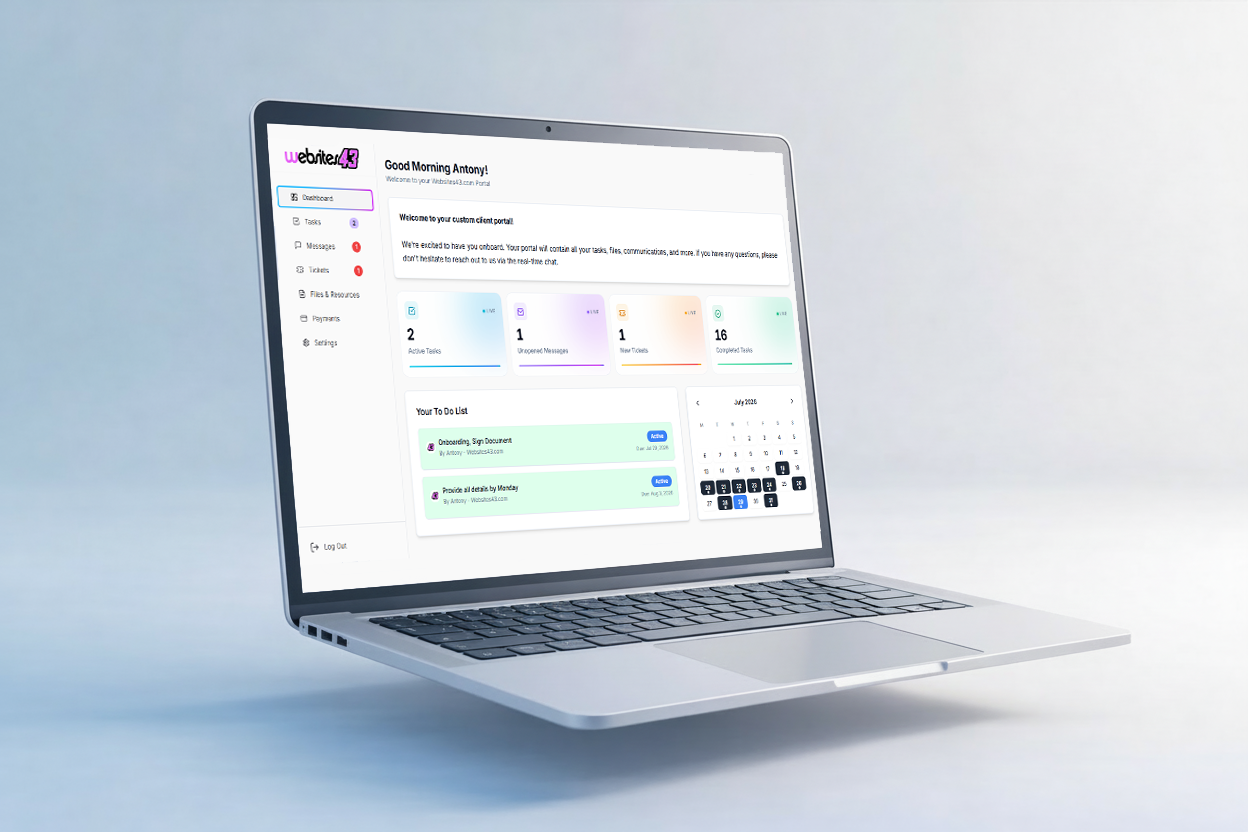
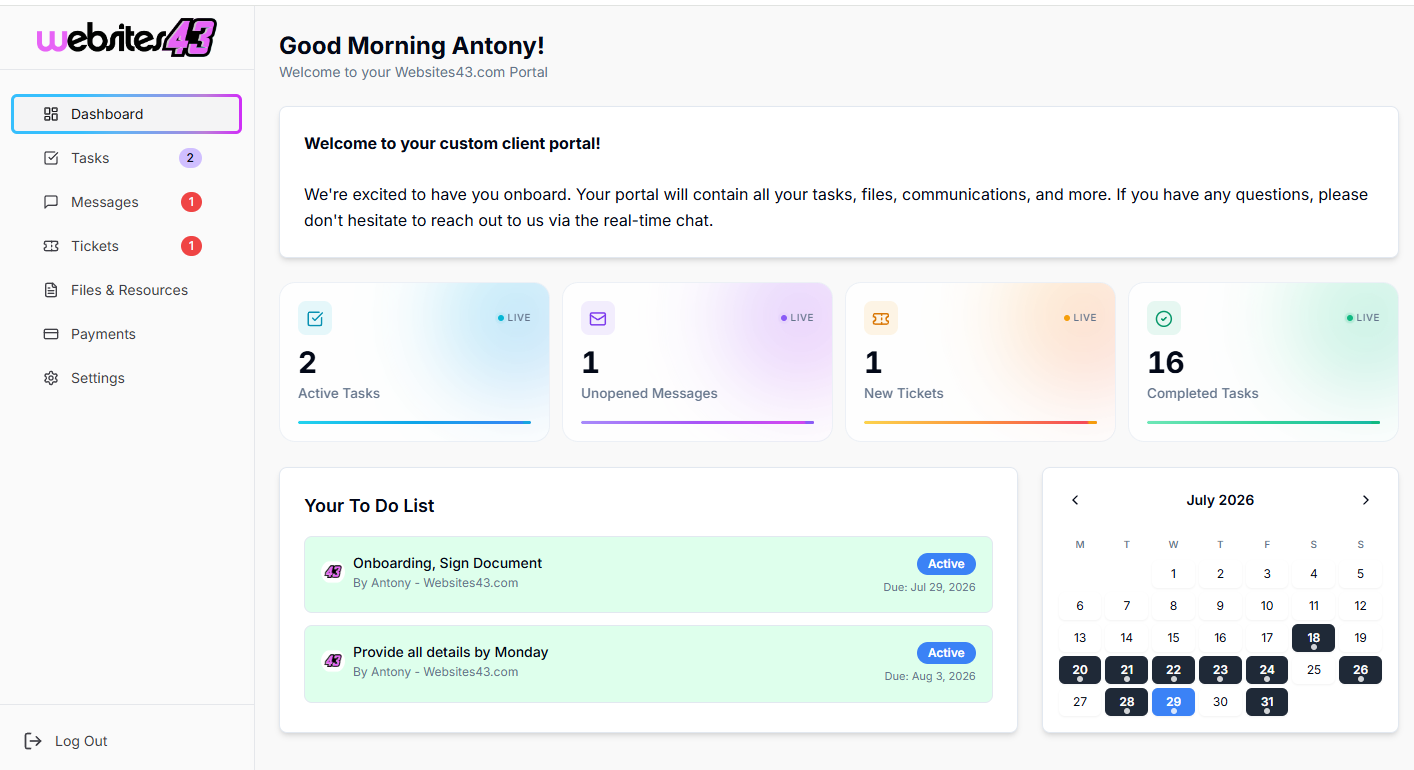
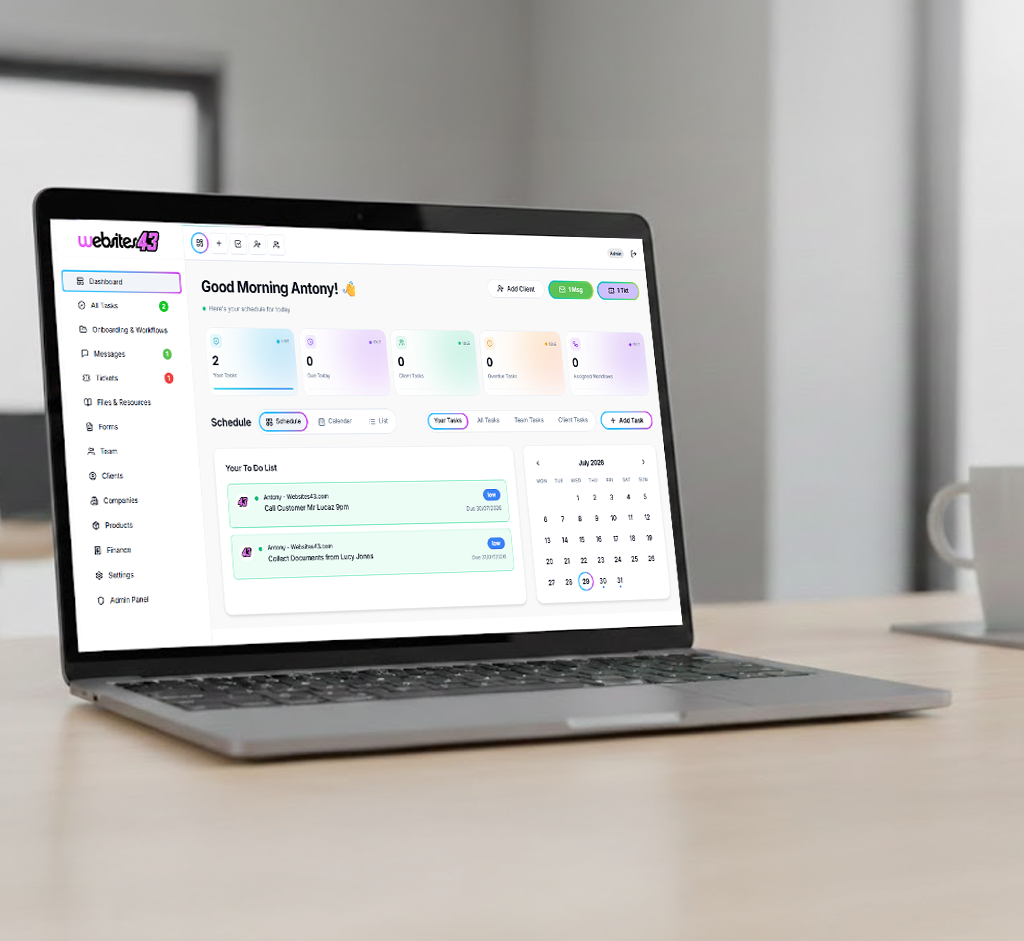
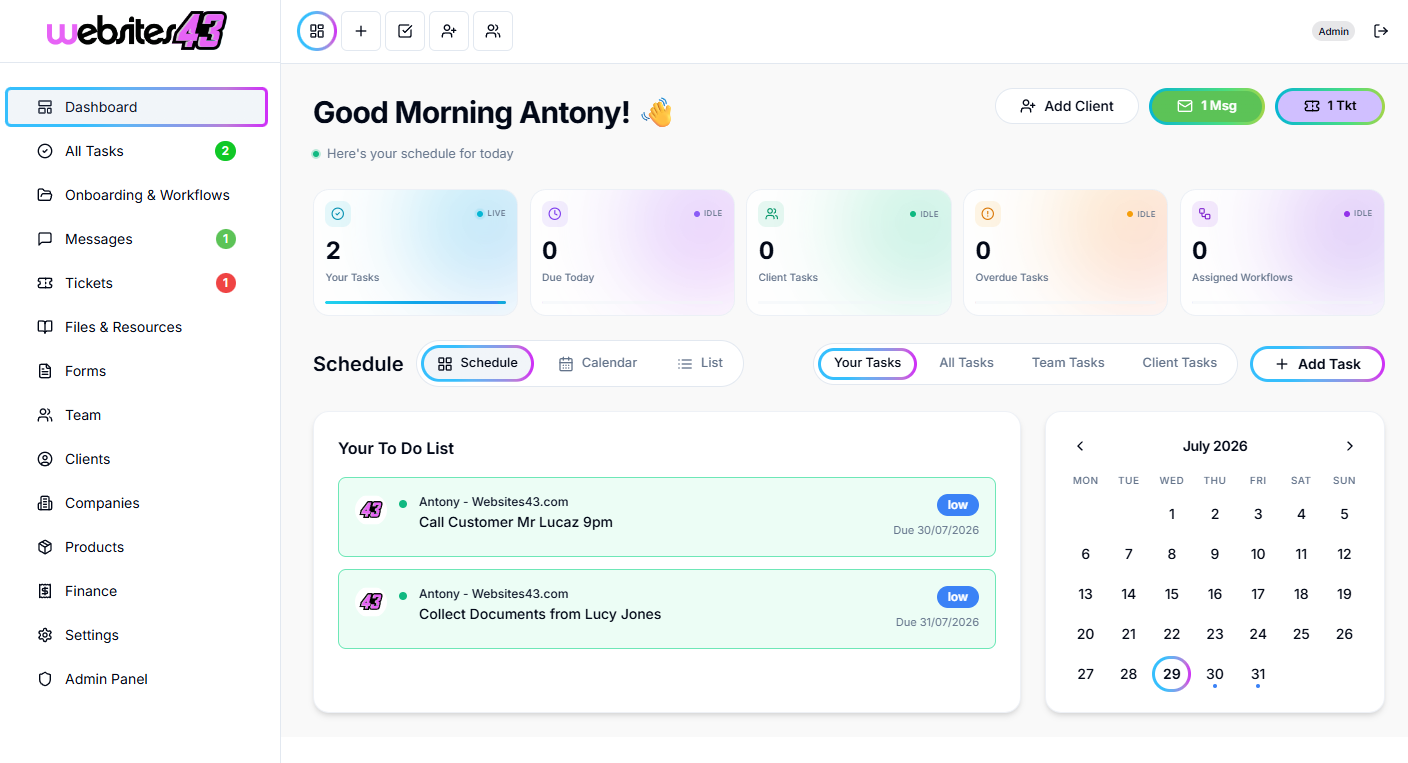
    The Hub is the dashboard you and your team will work from. The Portal is the client-facing dashboard where they get their tasks to complete, raise tickets, complete onboarding and more.

    For You & Your Team

    The Hub

    Your admin dashboard for managing clients, tasks, workflows, quotes and your whole team from one place.

    HaloTasker Hub admin dashboard shown on a laptopHaloTasker Hub dashboard detailed view
    Click to zoom
    For Your Clients

    The Portal

    The client-facing dashboard where they complete tasks, raise tickets, submit onboarding forms and stay in sync with you.

    HaloTasker client Portal dashboard shown on a laptopHaloTasker client Portal detailed view
    Click to zoom