HaloTasker logo
    Onboarding CRM

    An Onboarding CRM Built to Welcome Every New Client Like Your Best One

    Stop running onboarding from a checklist in your head. HaloTasker turns every closed deal into a branded, automated onboarding journey — forms, files, contracts and kickoff — without anyone having to remember what comes next.

    The first 30 days of a new client relationship set the tone for everything that follows. Clients who feel disorganised in week one start questioning the engagement in month two. Yet most service businesses run onboarding from a half-remembered checklist, a Google Doc that nobody updates, and a string of "did you get the intake form back?" emails. The result is uneven onboarding, slow time-to-value, missed compliance steps and a lot of avoidable churn.

    An onboarding CRM solves this by treating onboarding as a first-class workflow, not an afterthought. The moment a quote is accepted or a deal moves to "won", the system fires a sequence: send the welcome email, share the branded portal login, request the intake forms, collect required documents, send the engagement letter for signature, book the kickoff call, assign the project team, and notify the right people if any step stalls.

    HaloTasker is an onboarding CRM in the strictest sense. It stores contacts and pipeline like a CRM, but it is built around the workflow engine that powers onboarding, delivery and renewal — and around the branded client portal where the entire journey takes place. This page explains what an onboarding CRM actually does, how to design one that scales and how HaloTasker compares to running onboarding manually or with generic tools.

    What is an onboarding CRM?

    An onboarding CRM is a customer relationship management system whose primary job is not lead capture or sales pipeline tracking, but the structured welcome of a new client from the moment they sign. It combines four capabilities into one product: a CRM record for the client, an automation engine for the onboarding sequence, a forms-and-documents layer for collecting what you need, and a client portal where the entire process takes place.

    This matters because onboarding is the single highest-leverage workflow in any service business. A great onboarding experience speeds up time-to-value, reduces support load, increases retention and gives you a defensible reason to charge more. A bad one quietly destroys lifetime value before you realise it has happened. Putting it in a CRM with a portal — instead of a checklist, an email thread or a project tool — means it happens the same way every time.
    Why onboarding belongs in your CRM, not in a side tool

    Most service businesses try to bolt onboarding onto whatever they already use. They build a Trello board for onboarding tasks, a Typeform for the intake, a DocuSign envelope for the engagement letter and a Calendly link for the kickoff call. The information ends up scattered across five products that have no idea about each other.

    When onboarding lives inside the CRM, every artefact is automatically attached to the right contact, project and pipeline stage. The intake form is on the client record. The signed engagement letter is one click away. The kickoff call is on the same calendar your team already uses. The progress bar your client sees in the portal is generated automatically from the onboarding workflow — no manual updates required.

    • Onboarding data lives on the contact record, not in a separate tool
    • Triggers fire automatically when a deal is won or a quote is accepted
    • Clients see a single branded portal, not five vendor URLs
    • Your team gets a real-time view of where every new client is in the journey
    • Bottlenecks become obvious — you can see which step stalls and fix it

    Building an onboarding workflow that scales

    A good onboarding workflow has a handful of repeatable elements. HaloTasker provides them as building blocks so you can compose the journey that fits your business without writing code.

    Triggered welcome sequence

    When a deal closes, the system sends a branded welcome email containing the portal login, what to expect in the next 7 days and a single primary call-to-action. The email is sent from your domain, not ours.

    Intake forms with conditional logic

    Collect everything you need in one structured form. Conditional fields, multi-step layouts, file uploads and e-signature blocks remove the email back-and-forth.

    Document requests with status tracking

    Ask for the documents you need (ID, accounts, brand assets, prior contracts) and see at a glance which ones are outstanding. Automatic chasers reduce the chase work to zero.

    Engagement letter and contract signing

    Send the engagement letter natively, with the client signing inside the same portal. No DocuSign tab, no separate login, no lost envelopes.

    Kickoff scheduling and team assignment

    Book the kickoff call, assign the project lead and team, and create the active project — all from the same workflow that started when the deal closed.

    What changes when onboarding is automated end-to-end

    Teams that move onboarding into HaloTasker typically report three measurable changes within the first 60 days. Time-to-first-value drops from weeks to days because the bottleneck moves from email back-and-forth to the actual work. The proportion of clients who finish onboarding inside the target window rises sharply — often from below 50% to above 90% — because the system chases instead of the account manager. And the cost of onboarding falls because the same workflow handles the tenth and hundredth client the same way it handled the first.

    Onboarding inside a branded client portal

    The client side of the experience matters as much as the internal automation. In HaloTasker, the entire onboarding journey takes place inside the white-label portal. Clients see a progress bar from day one — "you are 40% onboarded" — and a clear list of the next steps required from them. They never wonder what they are supposed to do next.

    Because the portal runs on your subdomain and uses your brand, clients feel like they are working with a polished, modern service business — not one juggling Notion, Typeform, DocuSign and Stripe. That perception alone is worth the switch for most agencies, accountants and consultants who win business on professionalism.

    When you need an onboarding CRM

    If any of the following apply, your business is past the point where onboarding can be run from someone's head.

    • You onboard more than two or three new clients per month
    • Different team members onboard clients differently
    • You have ever delayed billing because the engagement letter was unsigned
    • Your intake forms live in one tool and your contracts in another
    • Clients regularly ask what they need to do next
    • You have compliance steps (KYC, ID verification, conflict checks) that must happen for every client

    Compared to running onboarding manually

    Manual onboarding usually means a Google Doc checklist, a shared inbox, a Trello board and a folder in Google Drive. It works for the first 10 clients and falls apart at 50. An onboarding CRM replaces all of that with a workflow engine that produces a consistent, branded experience at any scale — and gives you visibility into what is happening across every active onboarding at once.

    Key benefits

    • Every new client gets the same polished, branded welcome
    • Onboarding time-to-completion drops by 50% or more
    • No more 'did we send the engagement letter?' Slack messages
    • Compliance steps run every time, not just when remembered
    • Account managers stop being a human task queue
    • New hires onboard clients to your standard from day one

    Built for

    • Accounting firms onboarding new bookkeeping or tax clients
    • Agencies kicking off retainers and project engagements
    • Consultants running structured 90-day engagements
    • Mortgage brokers collecting KYC and application documents
    • Law firms running intake, conflict checks and engagement letters
    • Coaches and trainers starting cohort or 1-on-1 programmes
    Frequently Asked Questions

    Answers from real users and experts

    What is an onboarding CRM?

    An onboarding CRM is a CRM whose primary workflow is the structured welcome of new clients. It combines the CRM record, an automation engine, intake forms, document requests, e-signature and a client portal into one product so every new client gets a consistent, branded experience without manual work.

    How is this different from a project management tool?

    A project management tool is built for internal teams to track work. An onboarding CRM is built around the client. It triggers on CRM events (deal won, quote accepted), runs the client-facing journey in a branded portal, and stores the artefacts (forms, documents, signed contracts) against the contact record — none of which a generic project tool does well.

    Can I customise the onboarding workflow per service?

    Yes. HaloTasker lets you build multiple onboarding workflows — one per service or client type — and trigger the right one automatically based on the quote or deal that closed.

    Do clients need to install anything?

    No. Clients access the portal through a branded URL on your own subdomain. They click a magic-link login email and they are in. Desktop, tablet and mobile all work without installs.

    Can I send the engagement letter for signature inside the same workflow?

    Yes. E-signature is native. The engagement letter is sent, signed and stored on the client record without leaving HaloTasker — no DocuSign subscription needed.

    What happens if the client stalls partway through onboarding?

    Automatic chasers nudge the client at intervals you control. The internal team gets visibility into where every active onboarding is stuck so you can intervene only when needed.

    How long does it take to set up an onboarding workflow?

    Most teams build their first onboarding workflow in under an hour using the visual workflow builder and the supplied templates. Iteration is cheap — you can refine it as you learn what works.

    Does it integrate with my calendar for the kickoff call?

    Yes. Calendar booking is built in. The kickoff call appears on your team calendar and on the client's portal calendar in the same step that creates the active project.

    Onboard your next client in minutes, not weeks

    Build your first automated onboarding workflow today. Branded portal, intake forms, document requests, e-signature and kickoff — all from one place.

    Two Dashboards, One Platform

    The Hub & The Portal

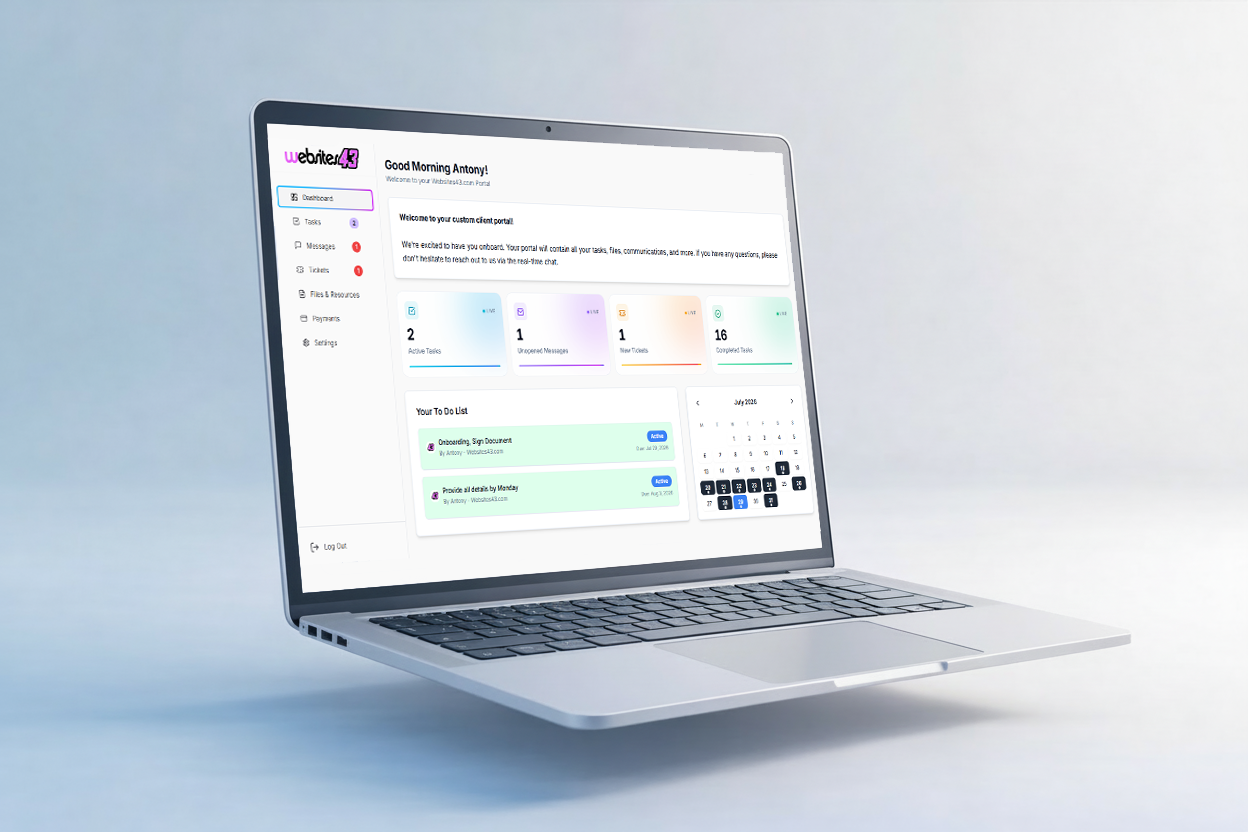
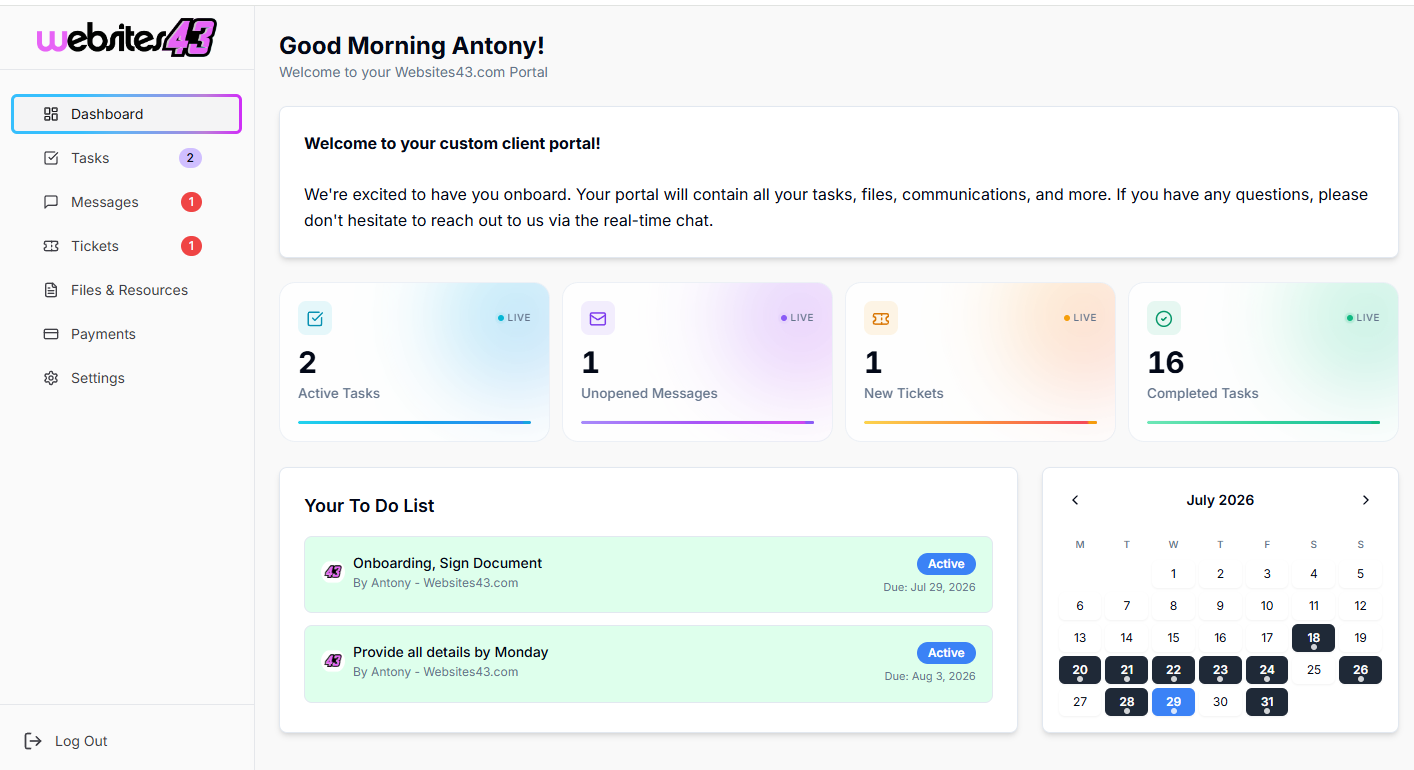
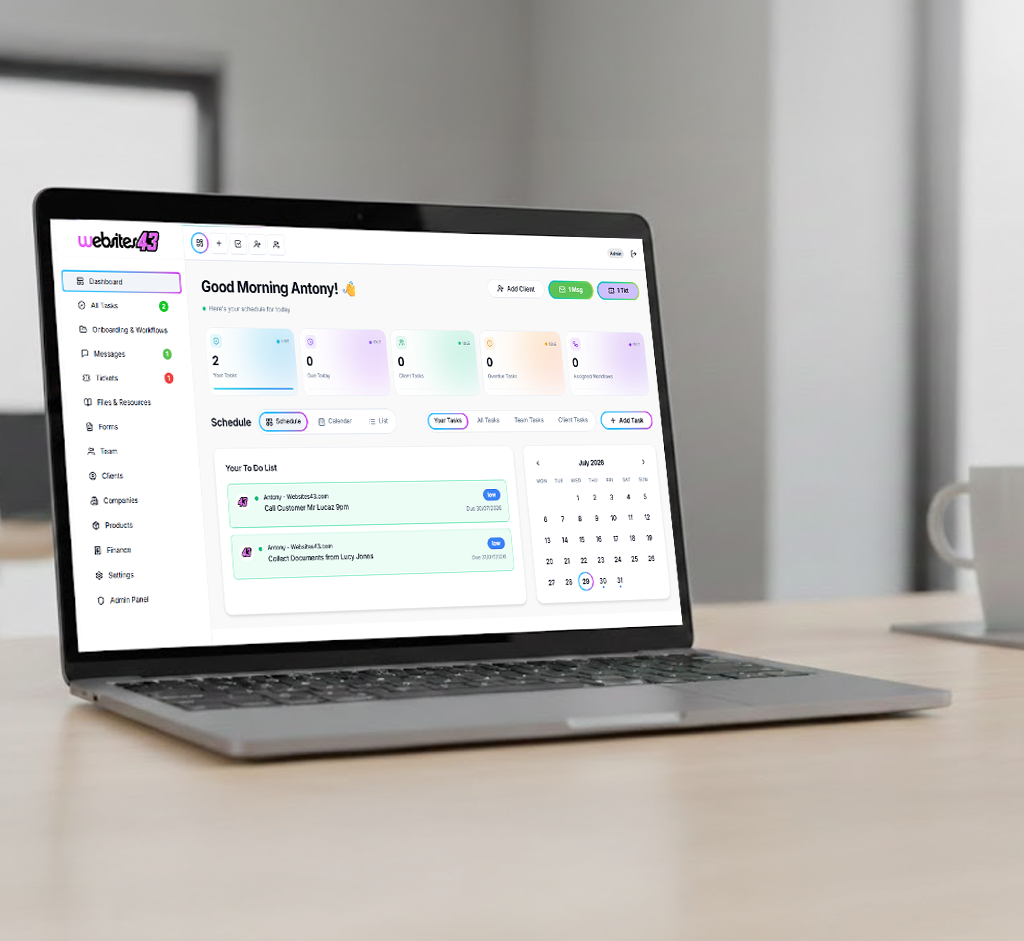
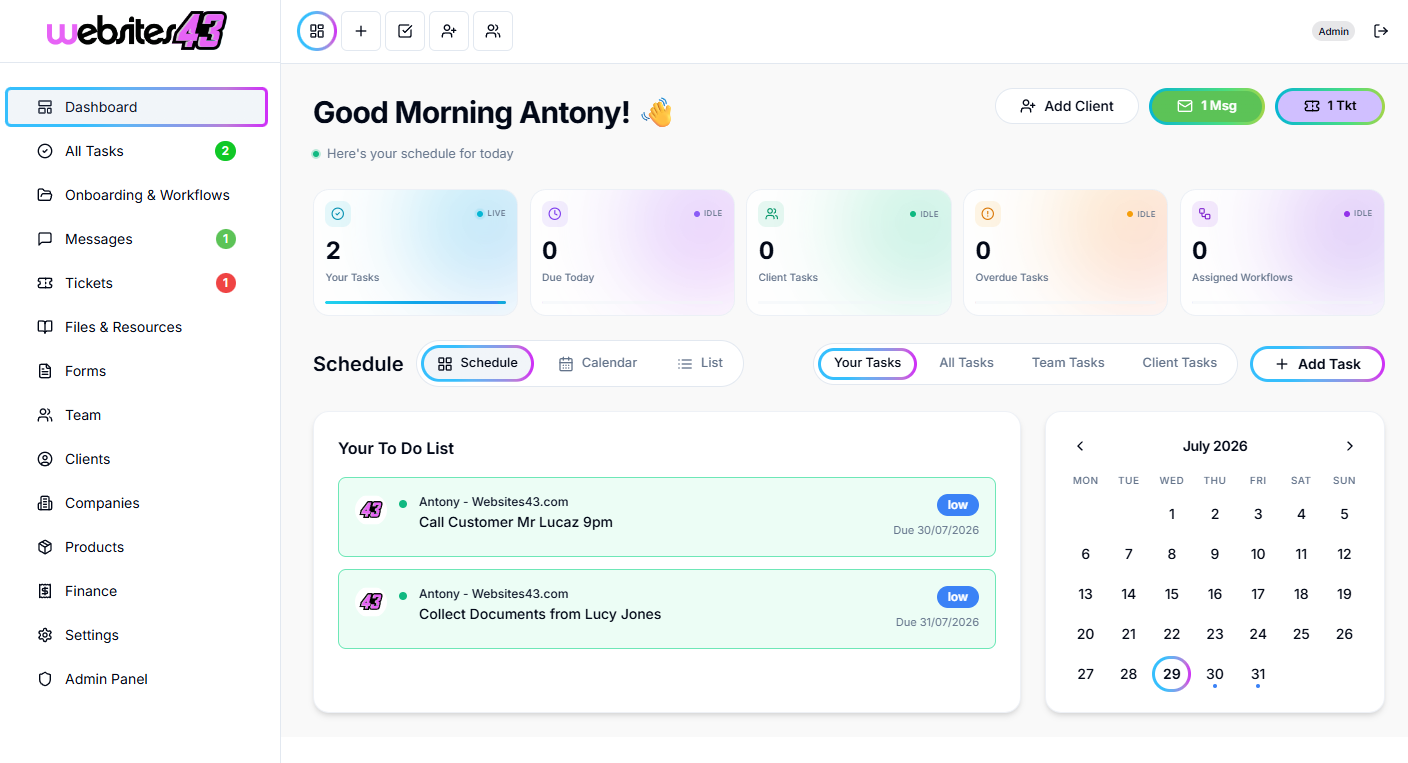
    The Hub is the dashboard you and your team will work from. The Portal is the client-facing dashboard where they get their tasks to complete, raise tickets, complete onboarding and more.

    For You & Your Team

    The Hub

    Your admin dashboard for managing clients, tasks, workflows, quotes and your whole team from one place.

    HaloTasker Hub admin dashboard shown on a laptopHaloTasker Hub dashboard detailed view
    Click to zoom
    For Your Clients

    The Portal

    The client-facing dashboard where they complete tasks, raise tickets, submit onboarding forms and stay in sync with you.

    HaloTasker client Portal dashboard shown on a laptopHaloTasker client Portal detailed view
    Click to zoom